You delete the suspicious file, run the security plugin and the site looks clean. A little later, the file is back. You delete it again and it returns. That is not bad luck, and the plugin is not necessarily at fault: it almost always means that what you deleted was only one of the copies.
The best recent example is SC, a WordPress malware documented by Sucuri on 30 September 2026. In the case they analysed, the backdoor came back within seconds of every removal. It is a good way to understand what is going on and, above all, the order in which to clean up, because order is exactly what usually goes wrong.
Why it comes back: there is more than one copy
SC keeps its code in at least eight places at once, and each one can rebuild the others. Delete the plugin and another file rewrites it. Delete that file and the theme rewrites it. Clean every file and, on the next visit, everything is restored from the database or from the server's memory.
Where it lives | Why it fools you |
|---|---|
| Makes PHP run a file before every request, even those that never reach WordPress |
| WordPress loads them very early. They carry the code or know where to fetch it |
The end of the theme's | A block added to a legitimate theme. Switch to another file and you do not see it |
A fake plugin, in | It looks like a caching plugin and hides itself from the list |
A randomly named row in | Reinstalling WordPress and cleaning files does not touch it |
The server's shared memory | It lives in RAM: it survives deleting files and cleaning the database |
Scheduled tasks | They reinstall it on schedule, without anyone visiting the site |
SC also creates an administrator who does not appear on the Users screen and forges login cookies to get in without a password. It can inject JavaScript into the site, which on a shop allows data theft at checkout, and it can delete security plugins. It receives its orders over the Ethereum network, using around twenty public services, so blocking just one achieves nothing.
And it is not an isolated case. Sucuri has also seen variants that use database triggers to recreate the administrator every time you delete it. The campaign Patchstack analysed in October installs several ways in at once and fakes its file dates to make them look old, so searching for "recently modified" does not always find them.
The other three reasons
Sometimes there is no hidden copy, just something simpler:
- The door is still open. If you have not fixed the flaw they came in through, they will come in again. That is why finding out how they got in is part of the cleanup.
- The passwords are still valid. Anyone running code on your server can read
wp-config.php. If you do not change the keys, they still have a way in. - The backup was infected. You restore a copy taken after the break-in and get the intruder back with it.
Sucuri sums it up in one useful rule: if a file reappears, the cleanup is not finished. Do not delete the same file again. Look for whatever is recreating it.
Order matters
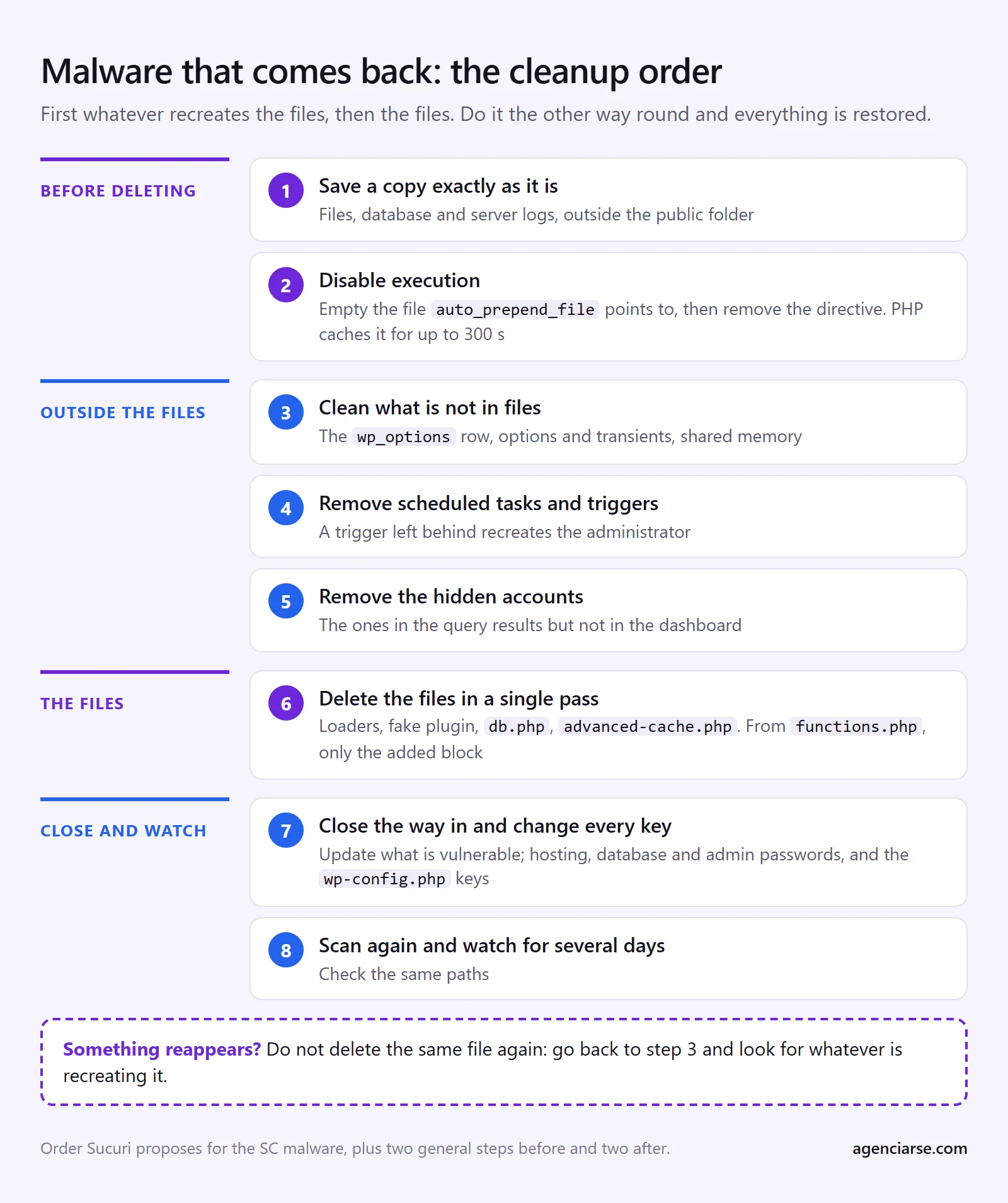
This is the order Sucuri proposes for SC, with two steps before and two after that apply to any infection. File names change from one site to another, so searching for a specific one is no use. You need access to the files and the database, and a mistake here can take the site down: if you are not comfortable with this, stop at step 1 and get help.
- Save a copy exactly as it is. Files, database and server logs. It is your safety net if something breaks and the only clue to how they got in. Keep it outside the public folder.
- Disable execution before deleting. If there is an
auto_prepend_file, first empty the file it points to, then remove the directive from.user.ini,php.iniand.htaccess. PHP caches that value for up to 300 seconds: delete the file in the meantime and every PHP request on the account fails. - Clean what is not in files first. The
wp_optionsrow, the malware's options and transients, and the shared memory segment. On shared hosting, that segment may belong to another account and only the provider can remove it; it stops being dangerous once the files that read it are gone. - Remove scheduled tasks and triggers. If a trigger is left behind, the administrator comes back even if you restore every file.
- Remove the hidden accounts. The ones that appear in the query below and not in the dashboard.
- Delete the files in a single pass. Loaders, both copies of the fake plugin, the restore ZIP and the malicious
db.phpandadvanced-cache.php. Fromfunctions.phpremove only the added block: the rest of the theme is legitimate. - Close the way in and change every key. Update whatever is vulnerable. Then change the hosting, database and administrator passwords, and the keys in
wp-config.php. That last step ends all sessions. - Scan again and keep watching. Check the same paths for several days. If anything reappears, go back to step 3.
Three checks the dashboard will not give you
Run them from phpMyAdmin or over SSH. They only read data and change nothing. If your database does not use the wp_ prefix, change it in wp_capabilities too.
Accounts with high privileges. Compare the result with what you see on the Users screen. Patchstack's query looks for administrators; I add two capabilities because in the UpdraftCentral case the account showed as an Editor, with extra capabilities.
SELECT u.user_login, u.user_email, u.user_registered
FROM wp_users u
JOIN wp_usermeta m ON m.user_id = u.ID
WHERE m.meta_key = 'wp_capabilities'
  AND (m.meta_value LIKE '%administrator%'
    OR m.meta_value LIKE '%manage_options%'
    OR m.meta_value LIKE '%install_plugins%');
Triggers. On an ordinary WordPress site this normally returns nothing. If one appears and you do not know which plugin it belongs to, investigate before going any further.
SELECT TRIGGER_NAME, EVENT_OBJECT_TABLE
FROM information_schema.TRIGGERS
WHERE TRIGGER_SCHEMA = DATABASE();
Very large options. A randomly named row with a huge block of text is a bad sign. Many large options are legitimate, so do not delete anything because of its size alone.
SELECT option_name, LENGTH(option_value) AS size
FROM wp_options
ORDER BY size DESC
LIMIT 20;
If you have WP-CLI, wp core verify-checksums and wp plugin verify-checksums --all compare files against the originals. wp cron event list shows the scheduled tasks. Be careful: paid plugins usually cannot be checked this way, and some of these commands load WordPress and, with it, the malware. --skip-plugins --skip-themes reduces what runs, but it does not stop mu-plugins or db.php.
What if I restore a backup?
It is often the fastest route, with conditions. It has to predate the break-in, and file dates are not enough to tell. You also have to restore the database: restoring only the files leaves the row, the tasks and the triggers in place. Even then, you must close the way in and change the keys the same day, or they will come back the same way. You will lose whatever changed since that date, which is serious for a shop taking orders.
When not to do this yourself
Get help if the site takes payments or stores customer data, if there is code you do not understand, or if you have already tried once and it came back. If a shop may have exposed payment data, do not stop at the cleanup: talk to your payment gateway. And if there has been a personal data breach, the GDPR gives you 72 hours to notify your data protection authority when it poses a risk to people, so look into it early.
What we don't know
- How many sites have SC. Sucuri describes what it found during cleanup, without giving figures on its reach.
- How it gets in. Its analysis focuses on how it stays, not on a specific way in. Sucuri points out that most of the cases it handles come from known flaws that had already been fixed.
- Whether your site has exactly this. This guide is based on reports from Sucuri and Patchstack, not on our own analysis of SC. Another infection may use other hiding places, although the logic of the cleanup is the same.
So, what now
If your malware has come back, do not delete the file again: take the copy and run the three checks above. To see what has been exploited this year, there is our review of the 2026 attacks and the Bricksforge case, with the specific clues for that flaw.
If you would rather have someone look at it, at AGENCIA RSE we do WordPress malware removal: first we find out how they got in and where they have stayed, then we clean up.
If you spot any outdated information, let us know and we will correct it.